Village in the Shade stores its display language separately for each save file. According to the developer’s Steam language notice, an existing save’s language cannot be changed after play begins. To play in another language, start a new game in an unused slot and select your preferred language before beginning that playthrough.
Set the language before starting
For a first playthrough, the developer recommends selecting the game’s language in Steam before launching it. Open your Steam Library, right-click Village in the Shade, and navigate to Properties → Language. Choose your preferred language from the dropdown, then launch the game.
Two details matter when choosing:
- The language must be supported by the game. The developer says an unsupported selection causes the display language to fall back to Japanese.
- The choice applies to the new playthrough. Changing the Steam setting does not provide a documented way to convert an existing save.
Check the language before committing to a new game, especially if you previously launched the game in Japanese.
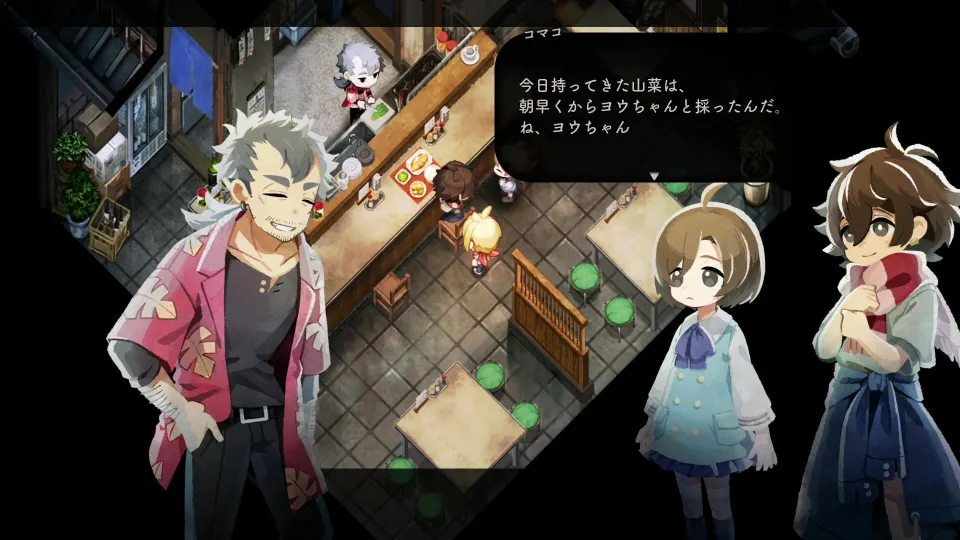
Start a new save in another language
If you have already started playing, the developer’s instructions direct you to create a new game in an unused save slot. This begins a separate playthrough; it does not transfer your existing progress into another language.
The confirmation sequence matters because the first prompt requires Yes, while the later language warning requires No.
| Screen or prompt | What to select |
|---|---|
| Title screen and save selection | Choose Start, then an unused save slot. |
| Initial confirmation | Choose Yes, the option on the left. |
| Japanese warning explaining that the language cannot be changed after starting | Choose No, the option on the right. |
| Language settings menu | Select the language you want for the new playthrough. |
Selecting No at the language warning opens the language settings menu in the documented procedure. It is the step to use when you need to change the proposed language before starting.
If every slot is occupied, the developer says you can delete an unwanted save after selecting Start to create space. Delete only a save whose progress you are willing to lose. If an empty slot is already available, you can keep your original playthrough and use that slot instead.
English support and saves that remain in Japanese
English, French, and Spanish support arrived with Patch 1.30, announced on October 27 in the official Steam update post. If you want one of those languages, make sure that update is installed before creating your new save.
An older Steam discussion included a player’s prediction of an October 30 English release. The official October 27 announcement confirms availability earlier than that prediction.
Adding language support and changing an existing save’s language are separate issues. The Patch 1.30 announcement confirms the additional languages but does not announce a conversion option for existing saves. The developer’s documented procedure is to start a new playthrough.
If the game still displays Japanese, check whether you are loading an older Japanese save or starting a new one with an unsupported language selected. Those situations have different explanations: the existing save retains its language, while an unsupported selection falls back to Japanese.